
How To Effectively Navigate The 515+ Scorer MCAT Master Map
We built the 515+ Scorer MCAT Master Map to help you do two things consistently: plan with clarity and review with purpose.
It is a spreadsheet-based system for tracking your schedule, content progress, full-length performance, and the decisions that turn practice into improvement.
In this guide, we will walk through how to set it up, navigate the dashboard, and use the features that matter most.
 Get Started: Copy the Template and Open the Dashboard
 Get Started: Copy the Template and Open the Dashboard
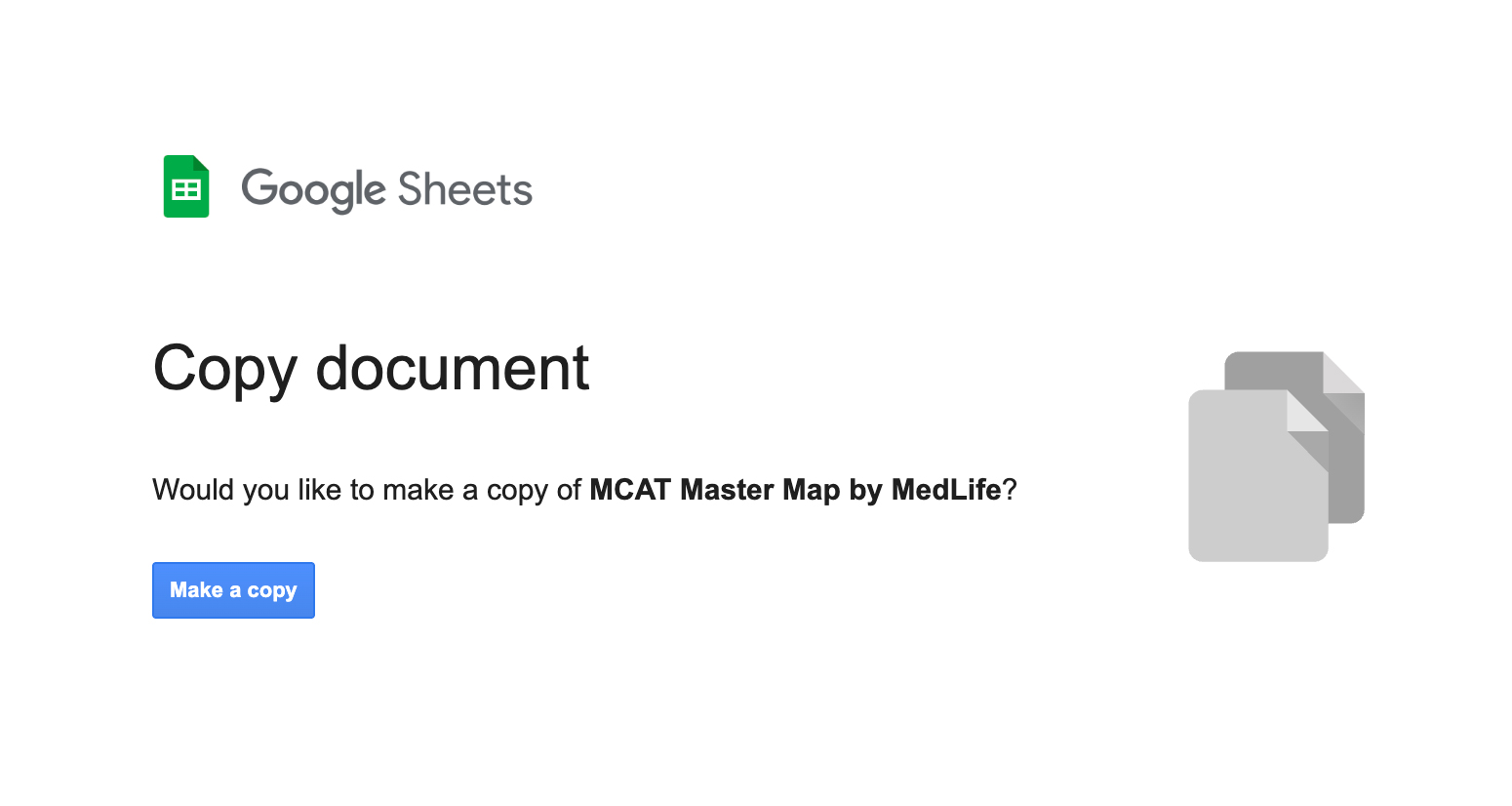
After downloading the MCAT Master Map, the first thing we recommend is making a copy of the template so you have your own editable version. If you do not, edits may not save the way you expect.
Navigation Options
 Navigation Options
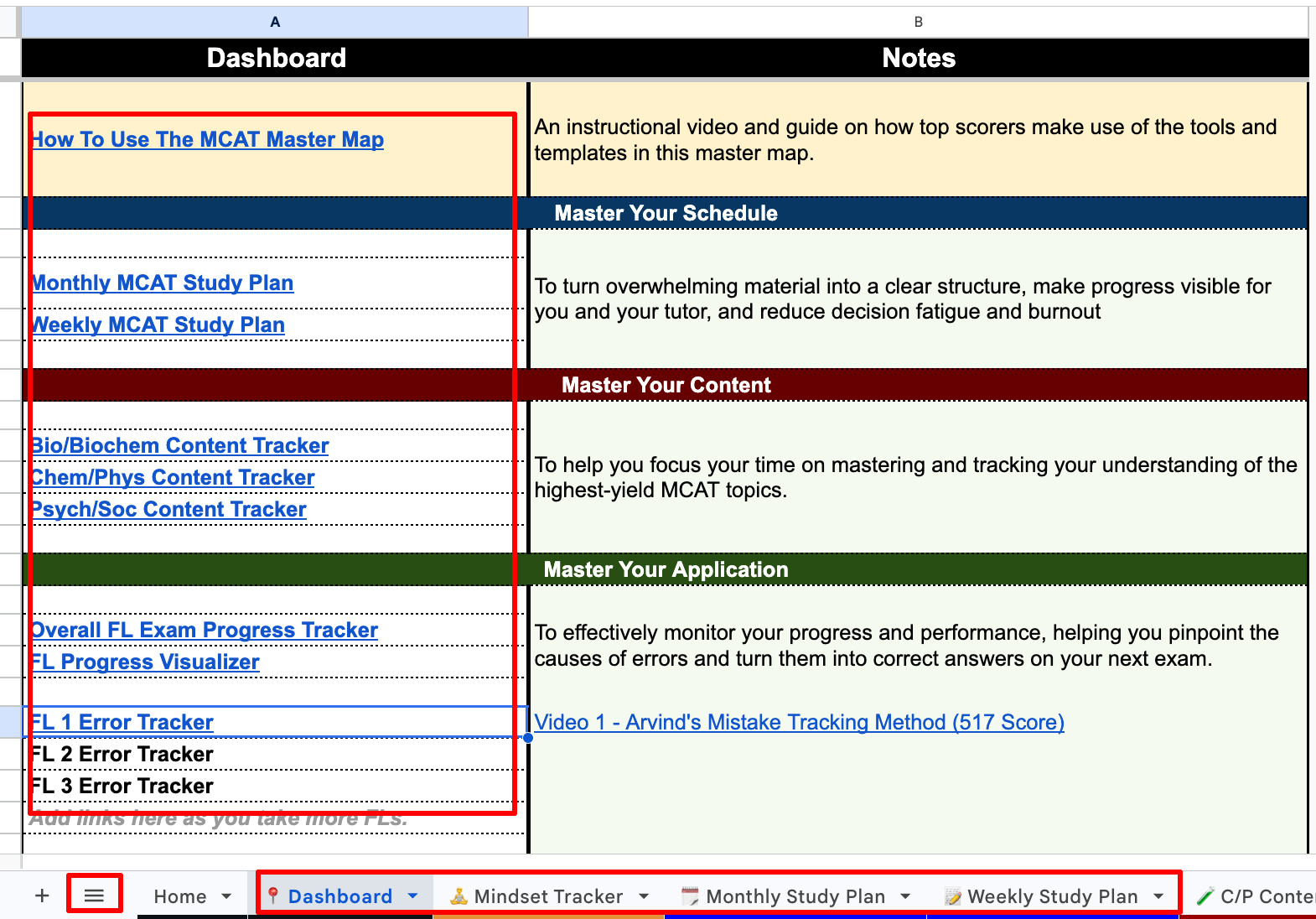
Once you are inside, you will land on the dashboard. The dashboard is designed to be navigated three different ways, so you can choose the style that fits your workflow.
- Click-through navigation using the links on the page.
- Table-of-contents navigation for quick jumping.
- Tabs down the bottom to move between sections.
Understand the Dashboard Sections (Five Main Areas)
 Understand the Dashboard Sections (Five Main Areas)
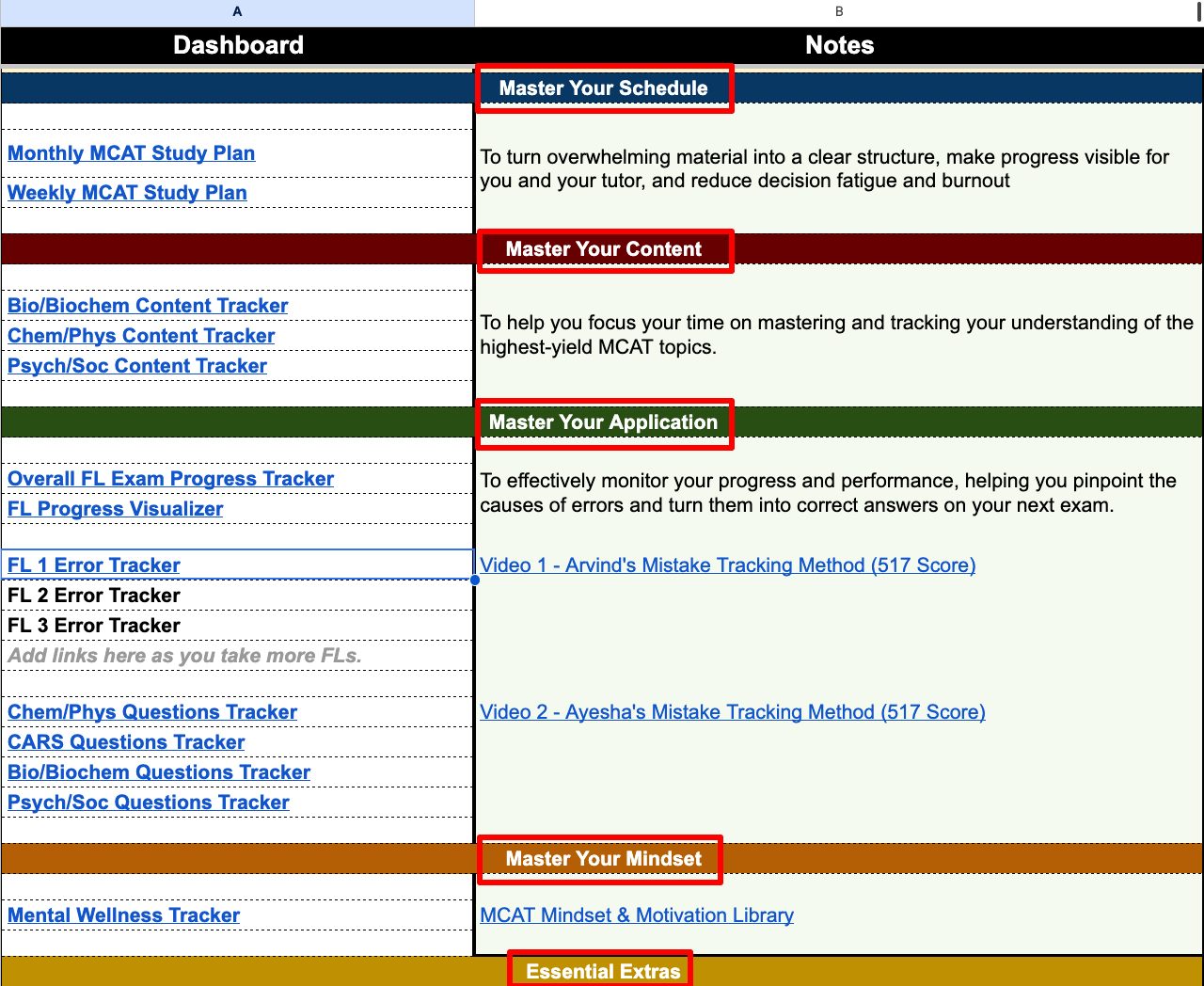
The dashboard is organized into five sections:
- Master your schedule
- Master your content
- Master your application
- Master your mindset
- Extras
The first four sections are based on what we have repeatedly seen top scorers master to reach high MCAT scores.
The Extras section is there to help with supporting tools and routines.
Master Your Schedule: Monthly and Weekly Trackers
 Master Your Schedule: Monthly and Weekly Trackers
The schedule is split into a monthly view and a weekly view. Some students prefer using one, while others use both. We encourage you to test what keeps you consistent.
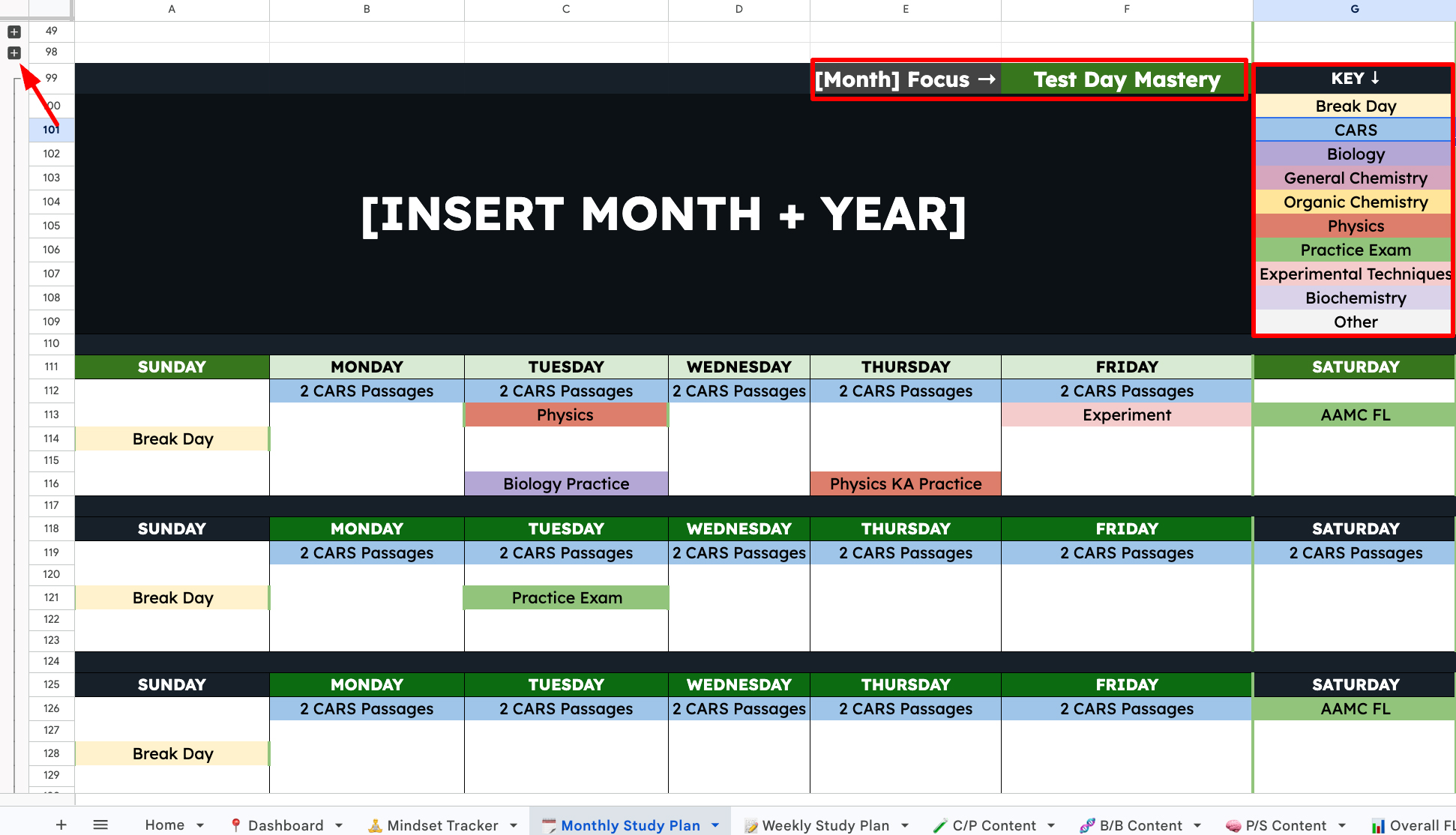
Monthly schedule: 3 months, collapsible, and focus-based
 Monthly schedule: 3 months, collapsible, and focus-based
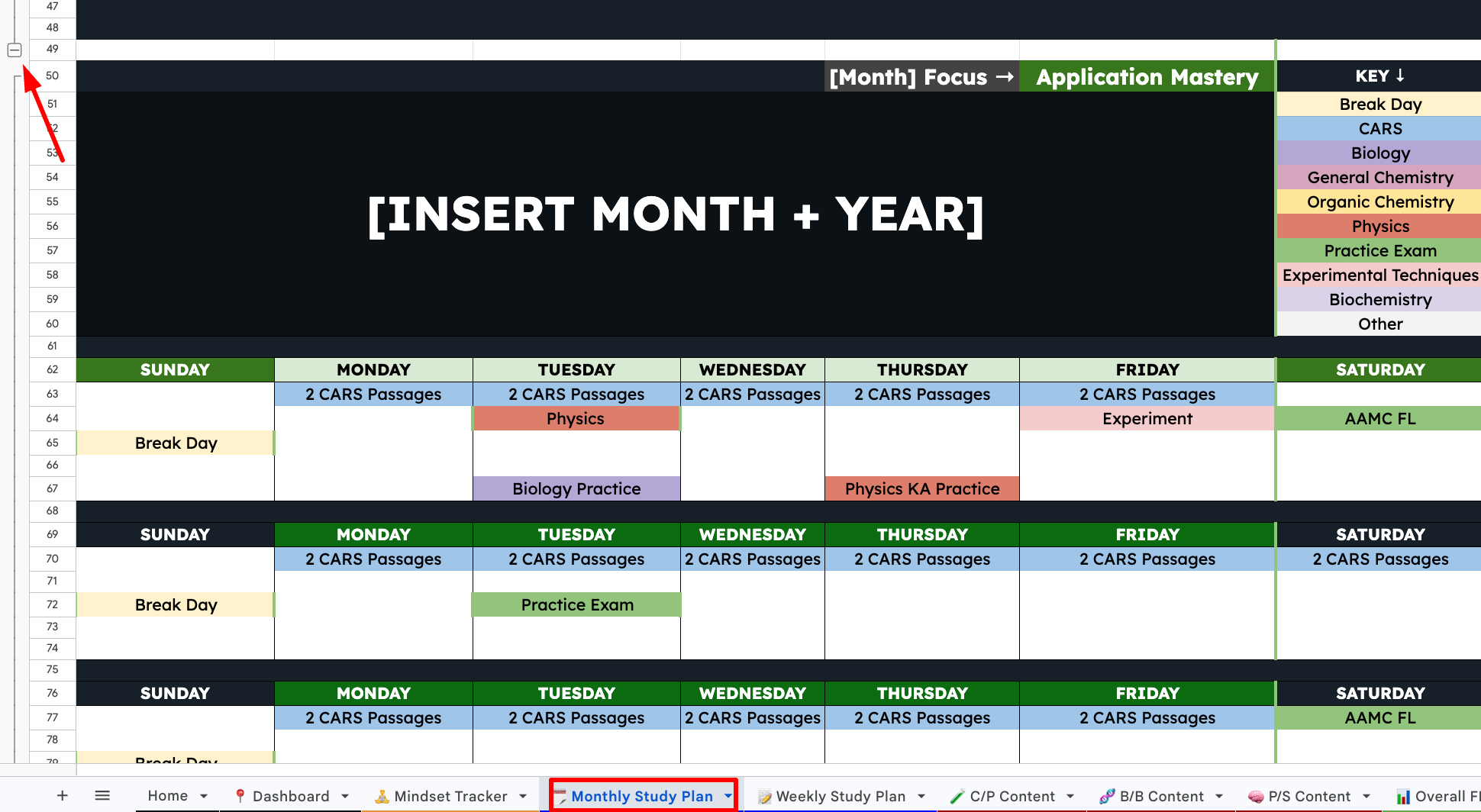
The monthly schedule comes prebuilt with three months. The key feature here is that you can collapse months as you finish them, keeping your sheet clean.
You can also:
- Add more months if you need extra runway.
- Use the key to guide how you plan your days.
- Update the focus for each month (month one will differ from month two, and so on).
And yes, you can build this solo or with tutor.
A lot of students share their screen during tutoring sessions so we can fill out the plan together.
Weekly schedule: goal score, tasks, and progress bars
 Weekly schedule: goal score, tasks, and progress bars
The weekly tracker is where the plan becomes more detailed.
You can set a goal score, break down your weekly tasks, and track progress with the progress bar.
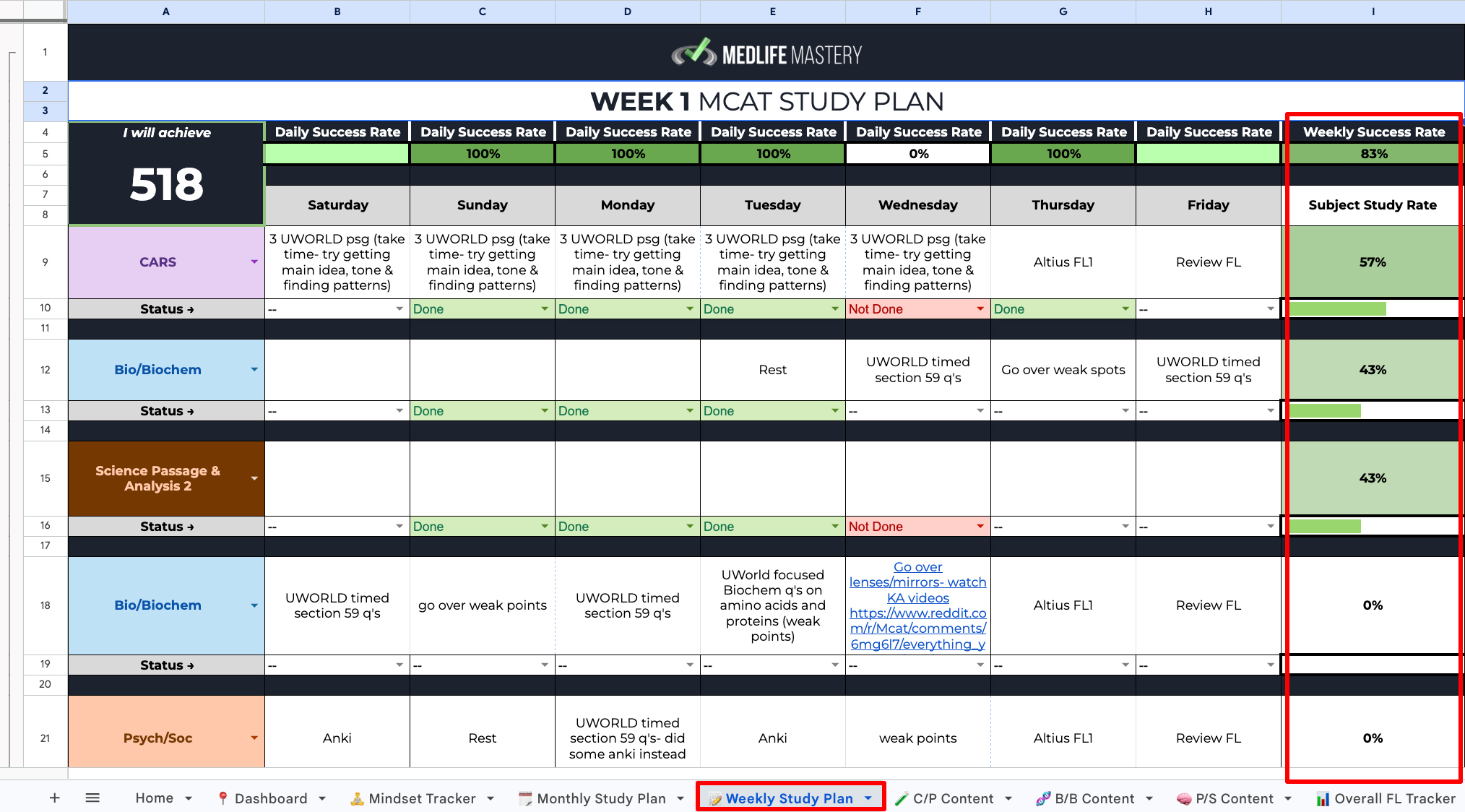
Like the monthly schedule, weeks can be collapsed after completion. The template includes 12 weeks by default, but feel free to adjust up or down.
Master Your Content: Track Concepts by Yield and Comfort
 Master Your Content: Track Concepts by Yield and Comfort
The content trackers use a similar structure across sections. The transcript specifically calls out:
- Chem/Phys
- Bio/BioChem
- Psych/Soc
Within a content tracker, you can monitor progress at a micro and macro level.
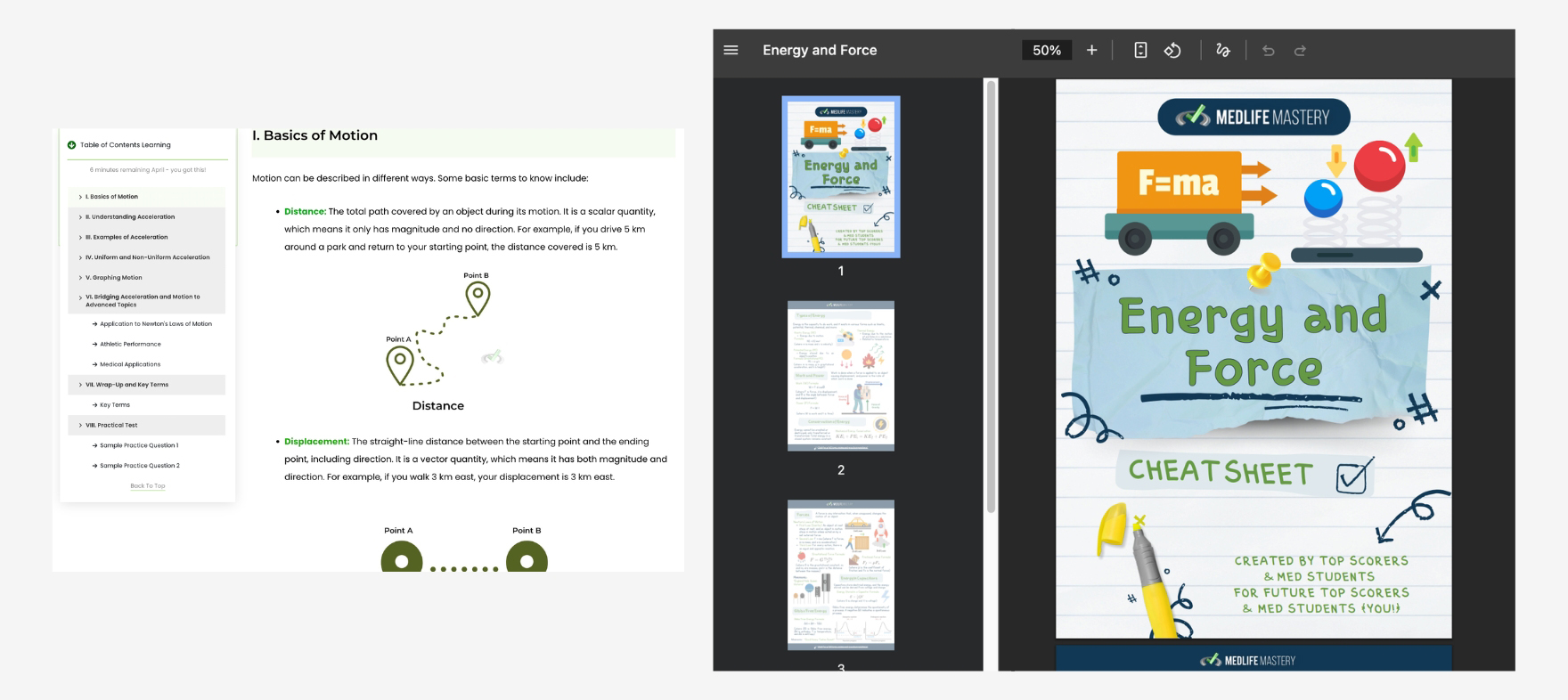
You can also click topics to access supplementary material that highlights what is high yield and what is not.
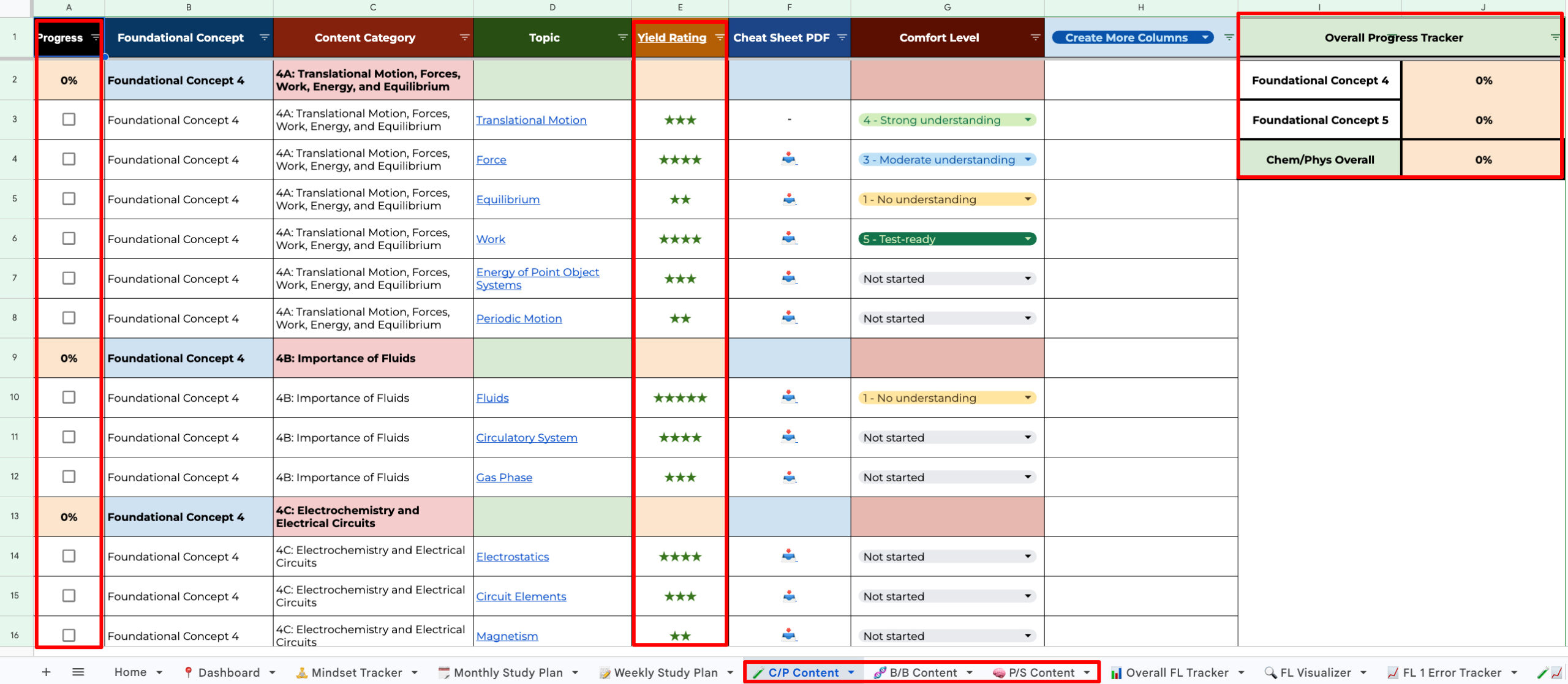
High-yield topic support: verified info + cheat sheets
 High-yield topic support: verified info + cheat sheets
When you click a topic, you can access:
- A supplementary article that clarifies high yield vs. lower yield
- A cheat sheet PDF designed to supplement learning
- A comfort level tracker for each topic
This is especially helpful when you are calibrating time with a tutor.
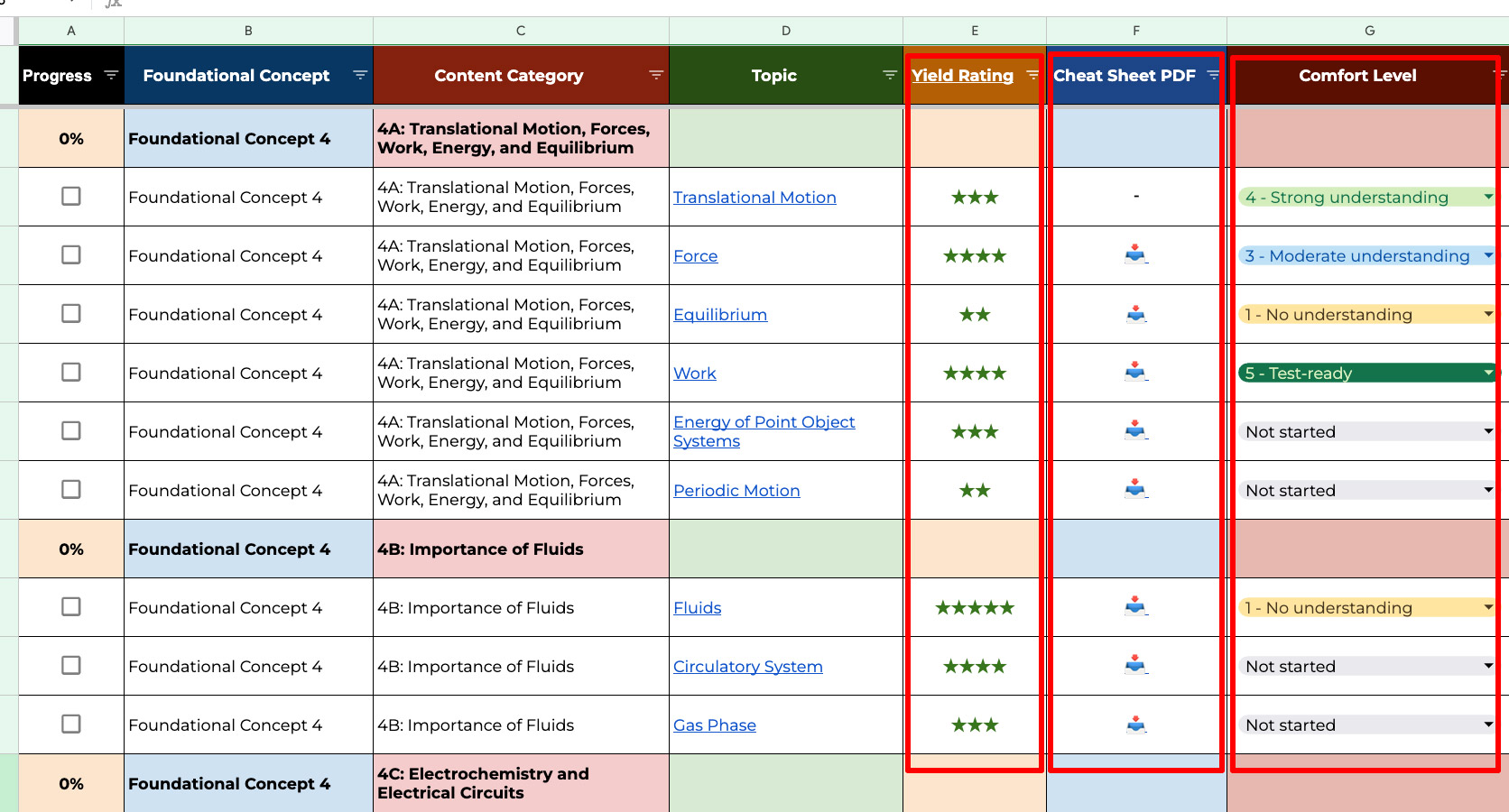
High yield tells you what to prioritize, while comfort level tells you what to address first.
Start the right way: assess comfort level immediately
 Start the right way: assess comfort level immediately
One of the most important early steps is going through the topics and doing a quick assessment of your current comfort level. That tells you exactly what to focus on first.
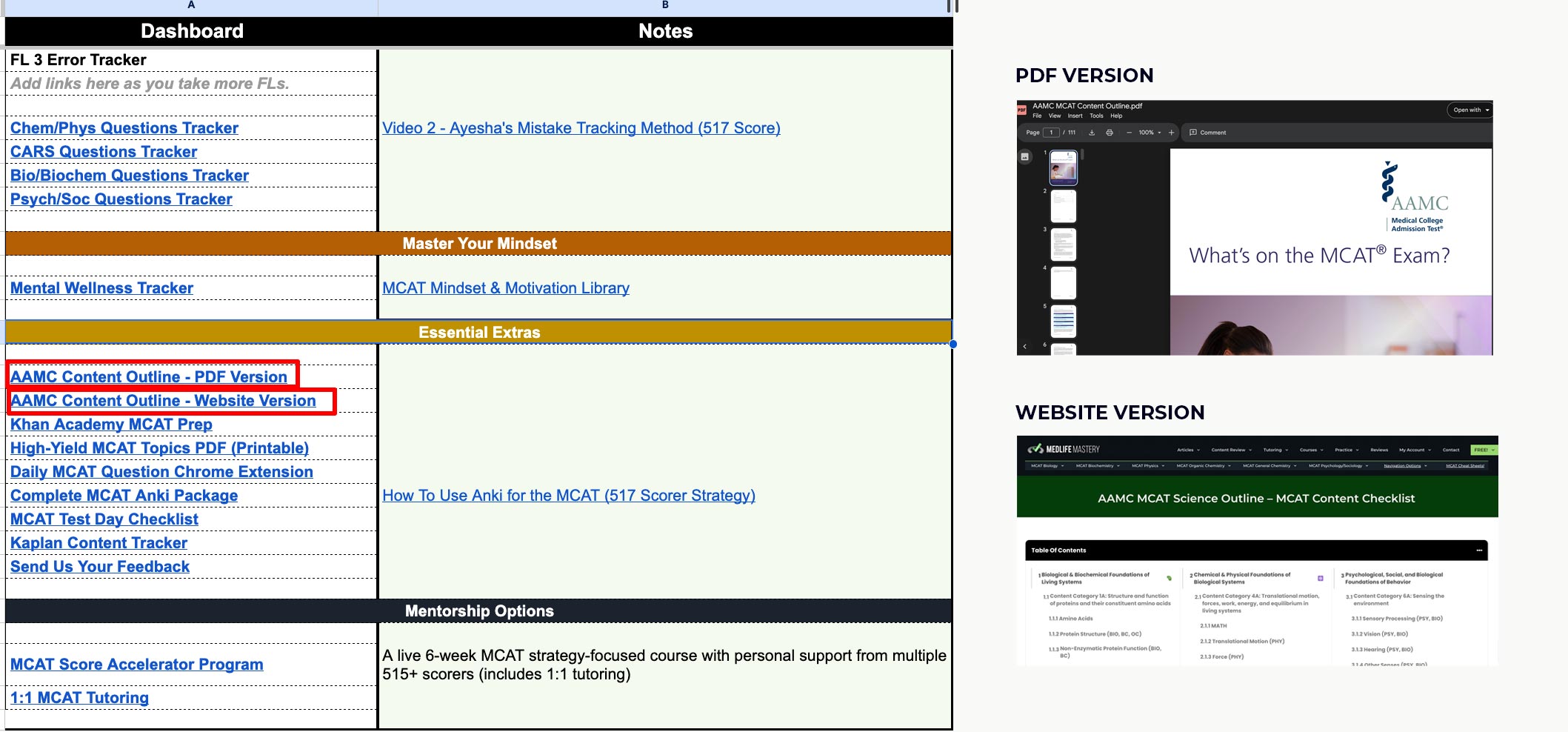
The recommended method is to use the AAMC content outline to look one level deeper, using either:
- PDF version (you scroll and find the relevant topic)
- Website version (you click through the structure)
If you are using the PDF, you may need to scroll and search a bit. If you are using the website, navigation is more click-based. Either option works.
Add or remove columns (make it your workflow)
 Add or remove columns (make it your workflow)
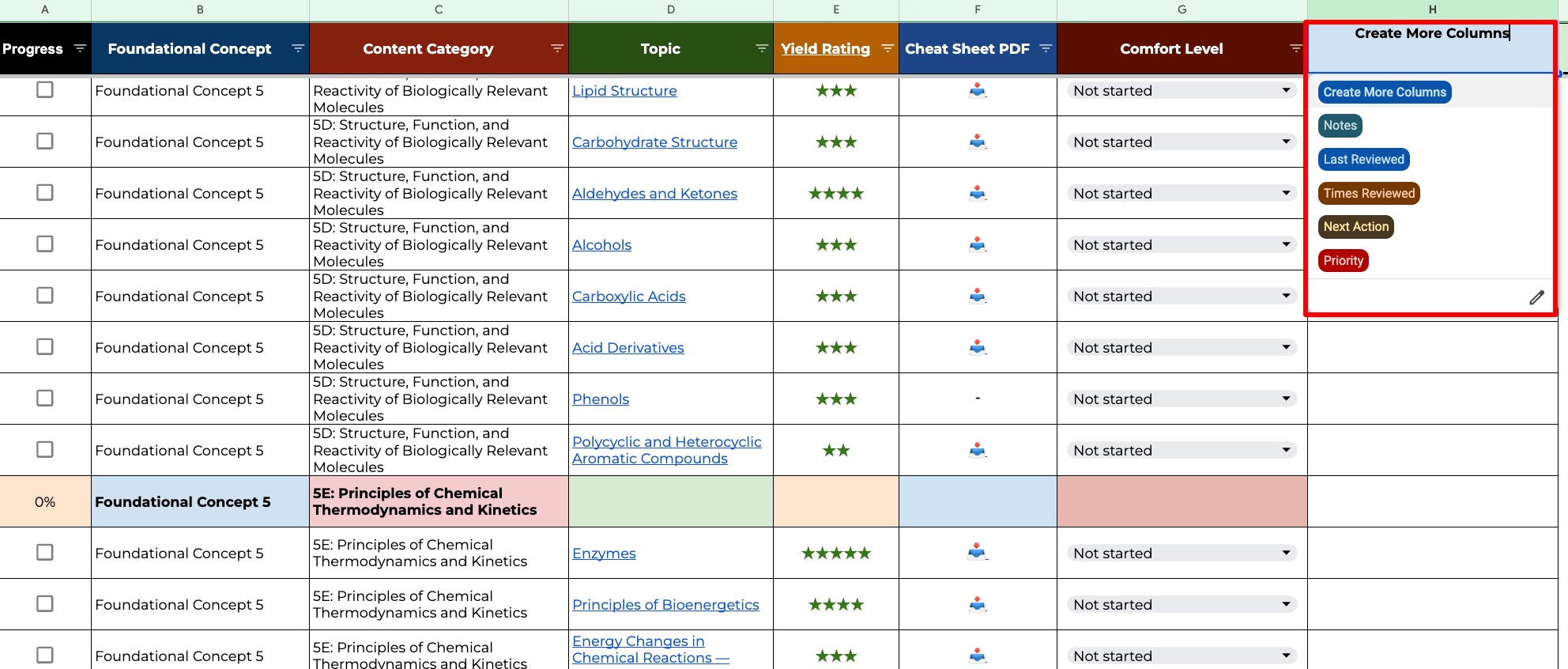
The content tracker is editable. Instead of being forced into a fixed system, you can add columns for your own tracking needs, such as:
- Last time you reviewed a topic
- Number of reviews completed
- Next action you plan to take
- Priority level
- Notes on what to fix
We did not want to overload the template with columns you will not use, so you can duplicate or remove what you want. This flexibility is one of the best parts of the MCAT Master Map.
The Power Feature: Filtering to Decide What to Study Next
 The Power Feature: Filtering to Decide What to Study Next
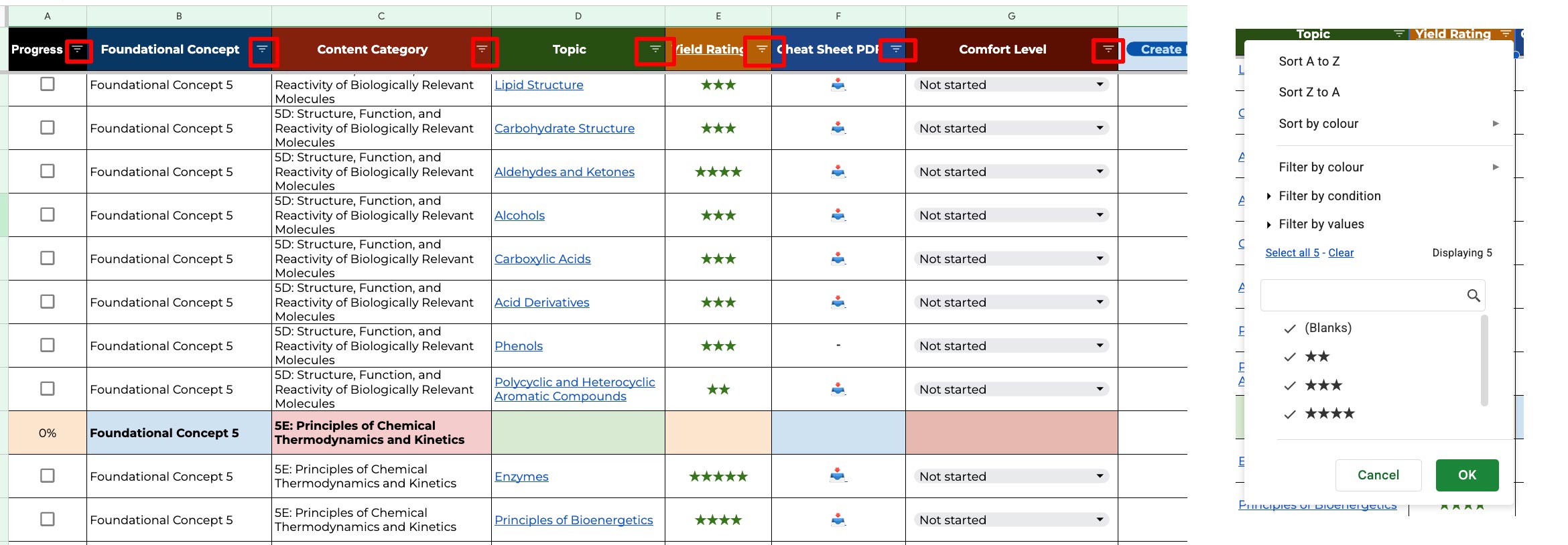
If spreadsheets have one superpower, it is filtering.
In MCAT Master Map, filtering helps you narrow your attention to exactly what matters.
For example, you can filter by:
- Yield (such as 4 to 5 stars, or only 5 stars)
- Your understanding (like high yield topics where your comfort is weak)
- Concept buckets (such as “foundational” topics)
- Progress status (even topics with 0 percent progress)
That means you can quickly build a focused study list, then tick items off as you improve.
And you are not limited to just content filtering.
Filtering appears across multiple trackers in the system, so once you learn the pattern here, it carries over everywhere.
Full-Length Tracking: Capture Scores, Confidence, Trends
 Full-Length Tracking: Capture Scores, Confidence, Trends
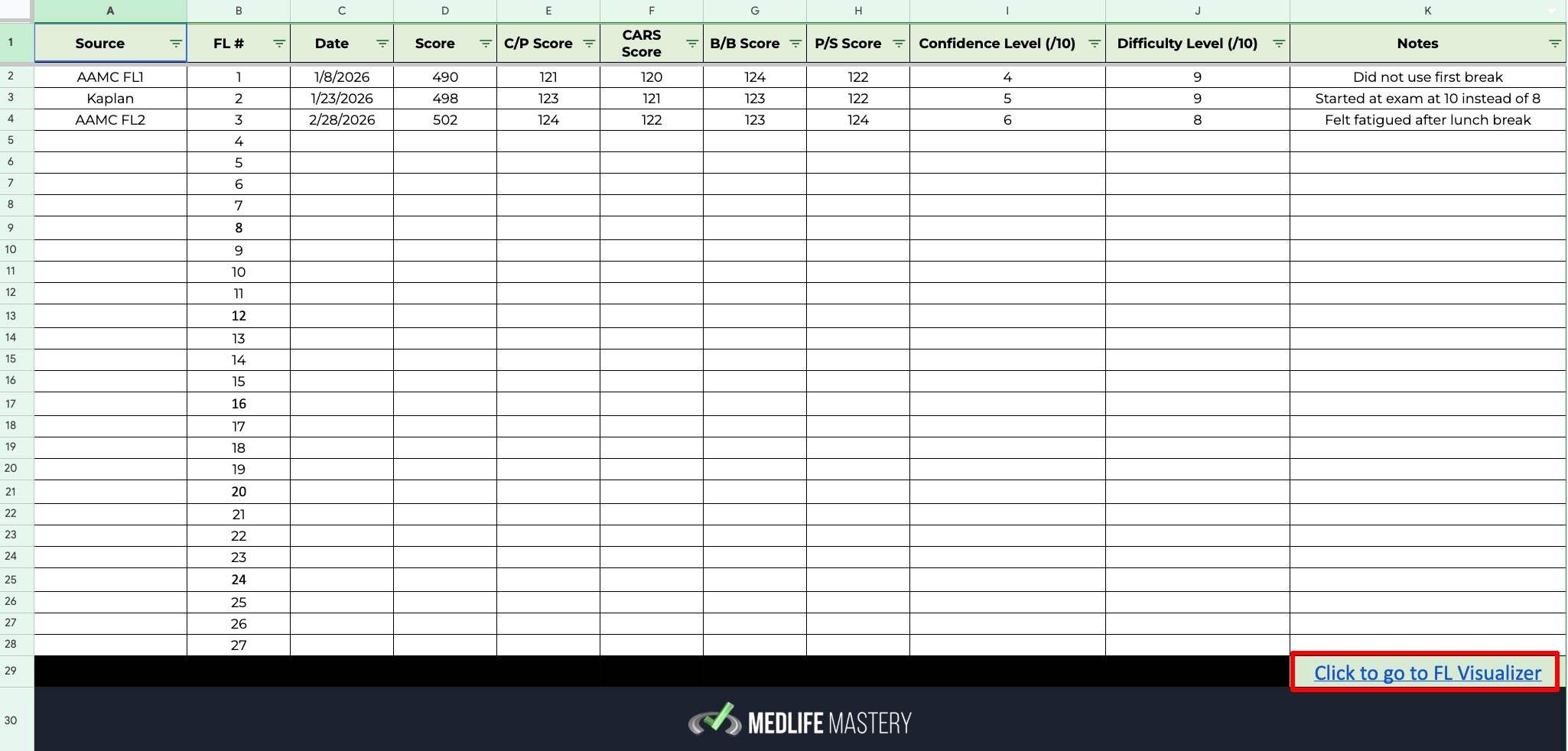
Next up is the overall full-length tracker. This section is fairly self-explanatory, but it is incredibly valuable for spotting patterns over time.
For each full-length, you can track:
- Date taken
- Overall score and section scores
- Confidence level
- Difficulty level
- Your notes
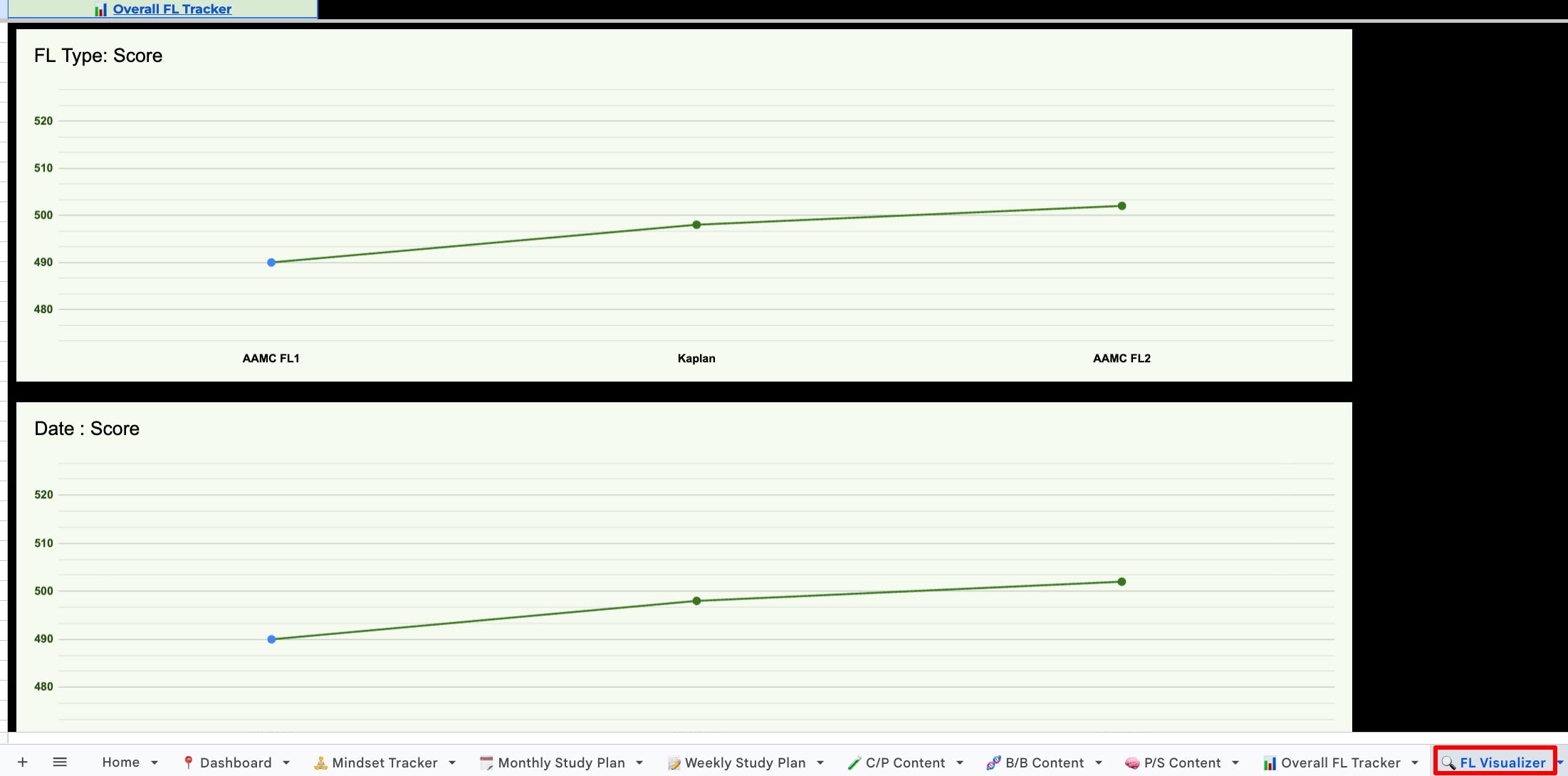
As you fill in entries, you will see them appear in a full-length visualizer below, showing trends by full-length and sections.
Full-Length Error Tracker: Analyze by Question and Outcome
 Full-Length Error Tracker: Analyze by Question and Outcome
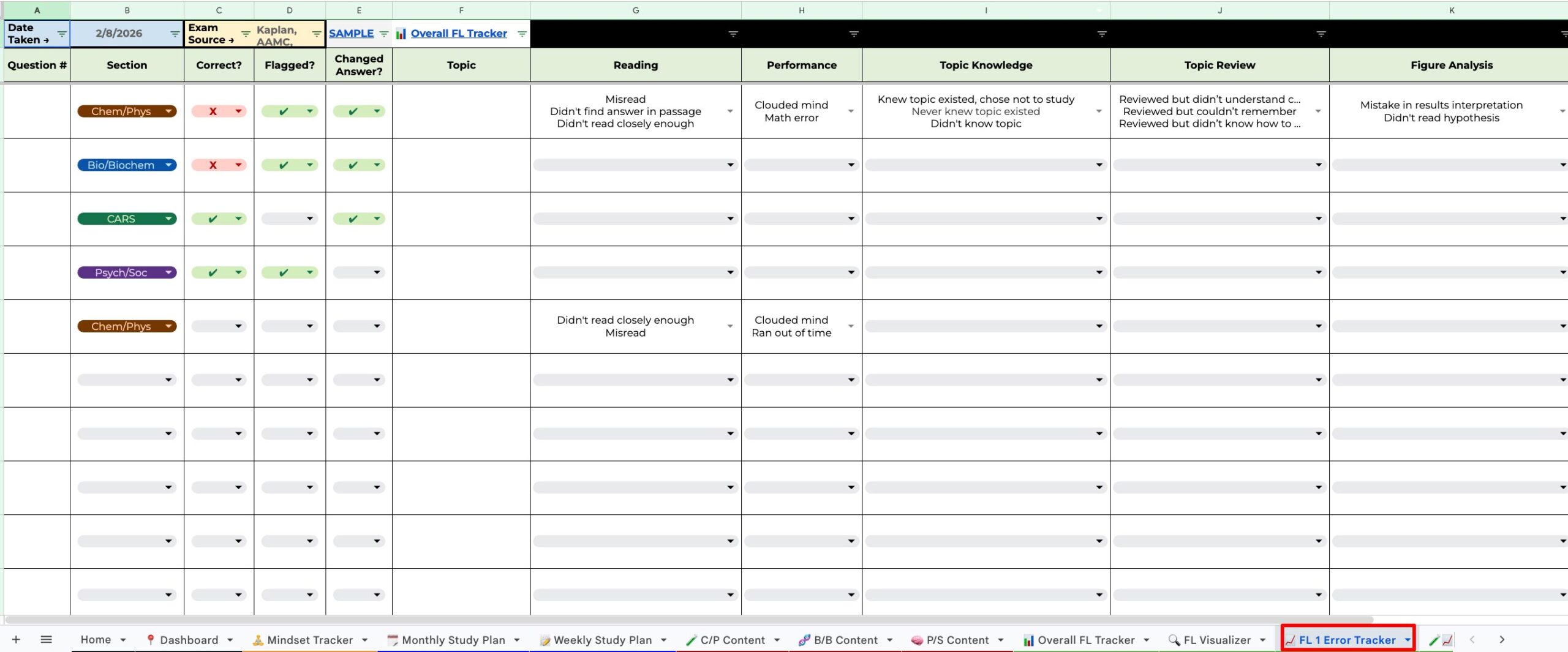
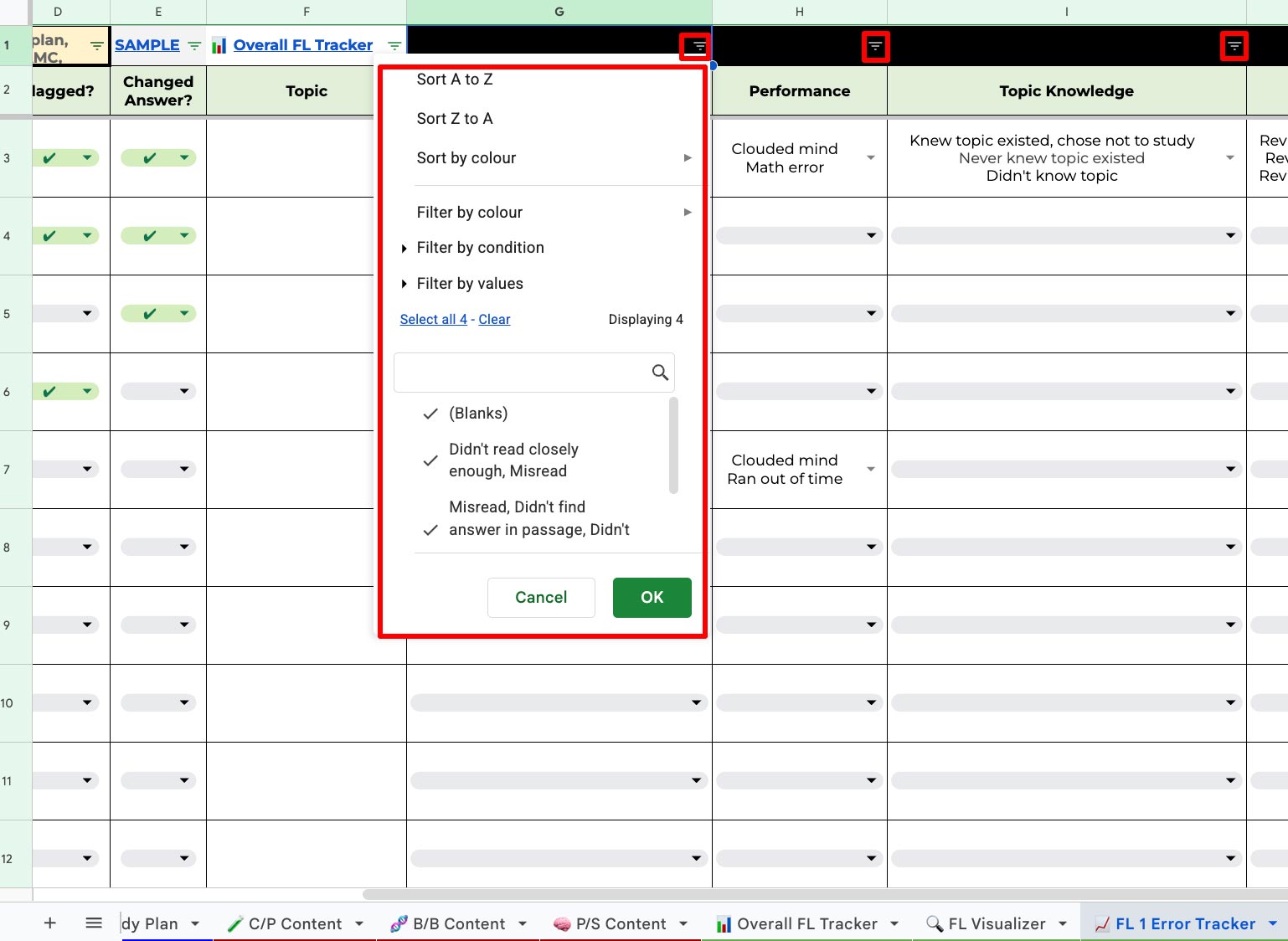
Where the tool really starts to feel like a coach is the full-length error tracker. Here, you track each full-length by question and record what went right and what went wrong.
This becomes an analysis dashboard that you can use alone or review with your tutor.
Duplicate tabs for each full-length (and link them back)
 Duplicate tabs for each full-length (and link them back)
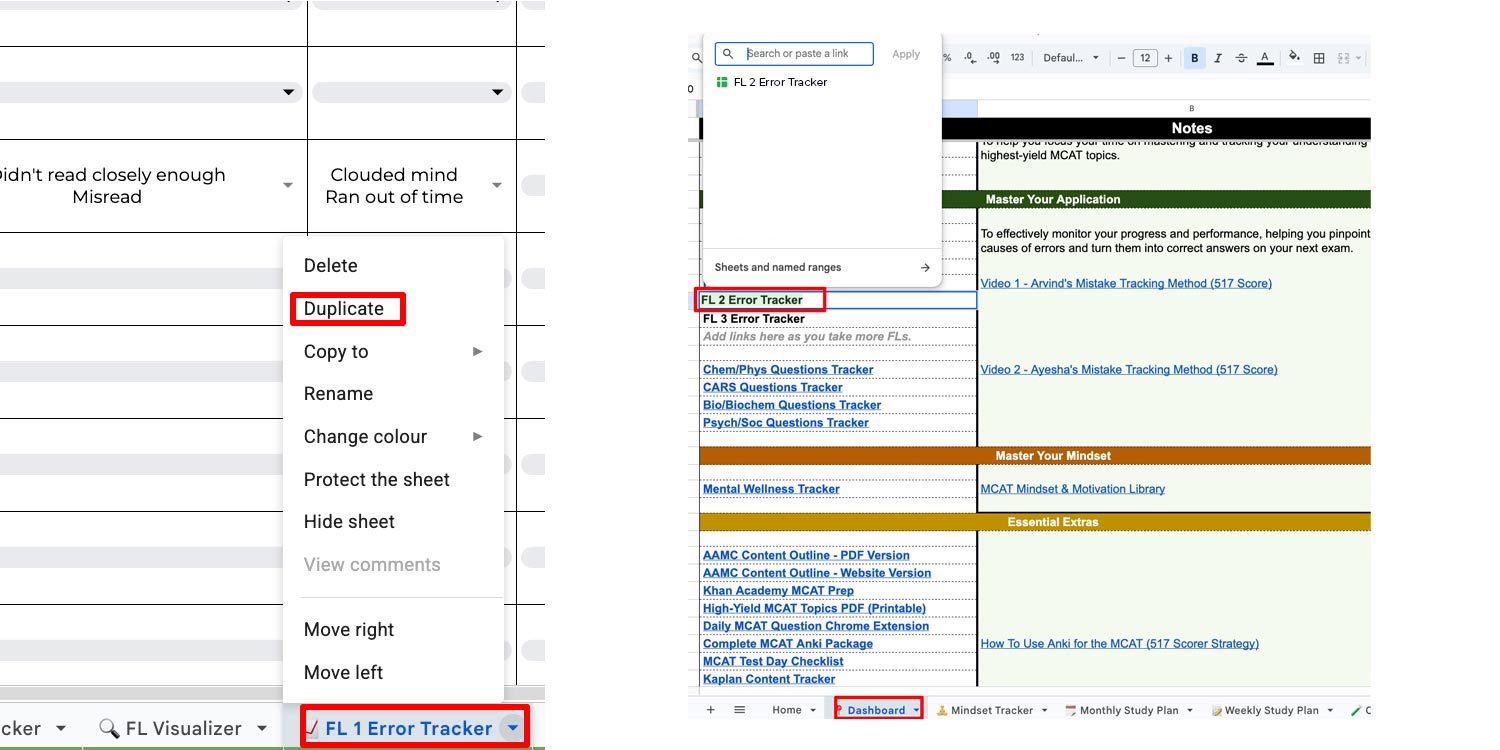
For every new full-length you take, you can duplicate the tab and create a new page for that test. If you do duplicate tabs, you will want to link the new tab in the dashboard so it displays correctly.
After duplicating, you simply come back and click the dashboard area tied to the tab you created.
Keep it organized: filter and group instead of duplicating endlessly
 Keep it organized: filter and group instead of duplicating endlessly
You can also use grouping/collapsing to reduce tabs. That will keep the sheet long but manageable by collapsing full-length sections, and duplicating rows in a structured way as you go. Use whatever way you prefer.
No matter how you organize it, do not forget to leverage filtering mechanisms. Filtering is what lets you focus on the questions you flagged as priorities.
Question Trackers: Repeat the Same System Across Sections
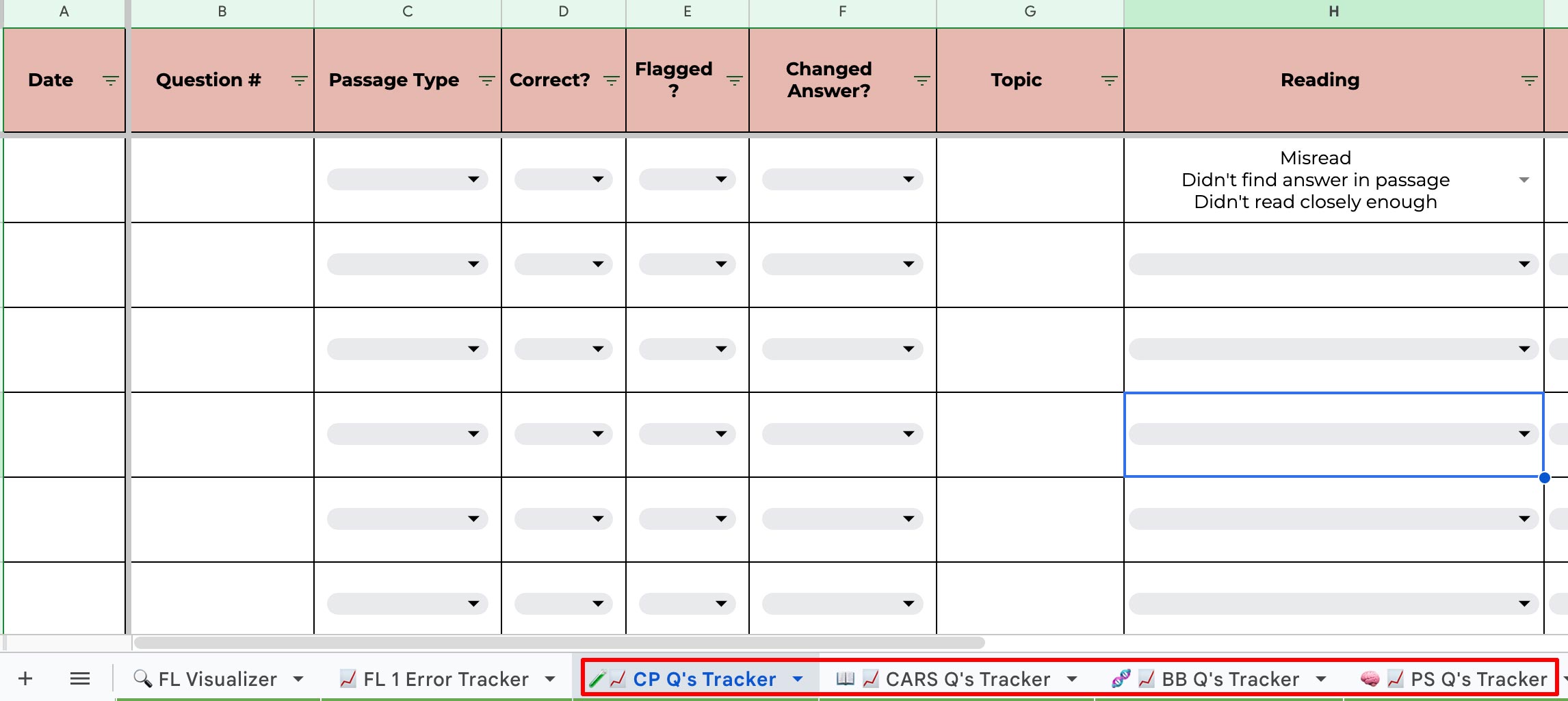
The spreadsheet includes the same setup for question tracking across sections.
The idea is consistent: track and analyze questions so you can turn practice into targeted improvement.
- Chem/Phys question tracker
- CARS question tracker
- Bio/BioChem question tracker
- Psych/Soc question tracker
To use these most effectively, we recommend watching the "How To Track MCAT Mistakes" videos linked in the dashboard.
Don’t Skip the Extras: PDFs, Checklists, Chrome Extension, and Daily Focus
 Don’t Skip the Extras: PDFs, Checklists, Chrome Extension, and Daily Focus
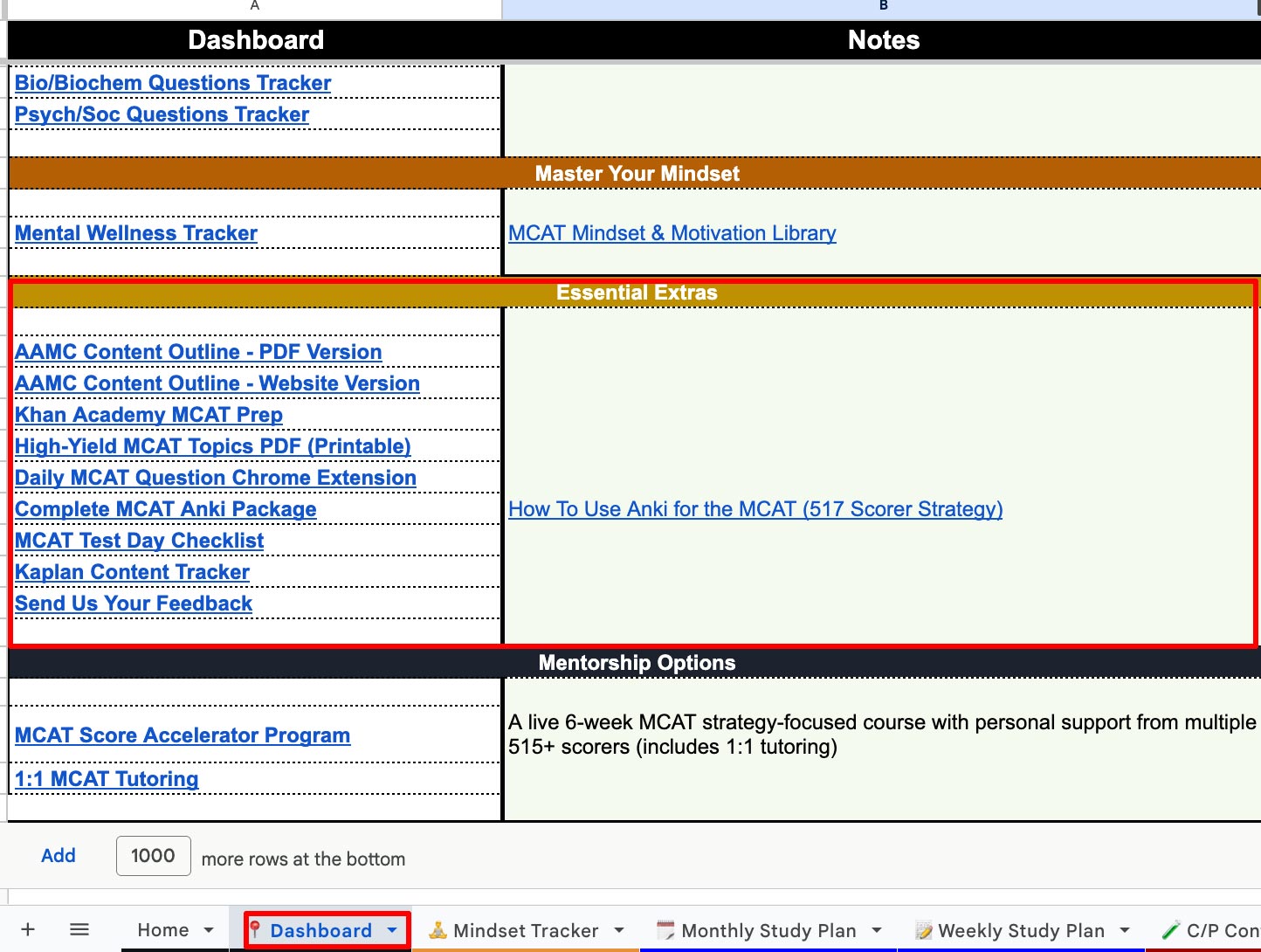
The final part of the system is the Extras section.
It is tempting to rush past it, but this is where we support the routine.
The Extras include:
- Downloadable PDFs
- Checklists
- The MCAT Buddy Chrome extension to support daily momentum and reduce distraction
- Additional packages and tools designed for consistent practice
Consistency matters. A system that helps you do a question every day is not a minor feature, it is a big one.
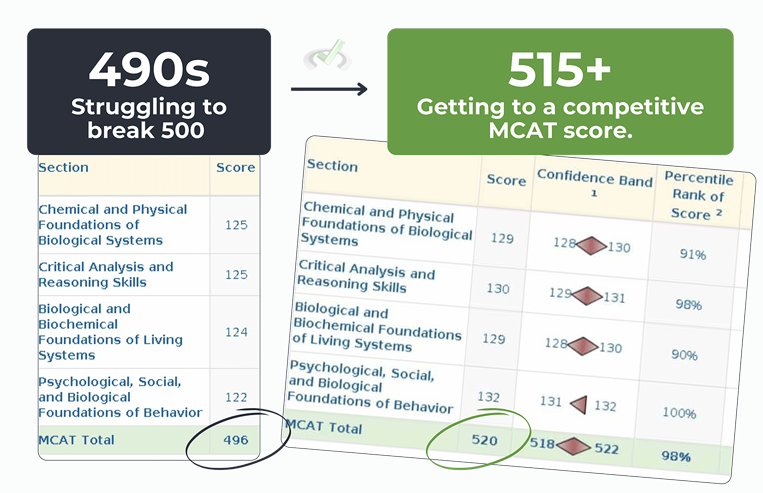
If you're looking for direct, live personalized guidance from multiple 515+ scorers focused on you reaching your target score in the next 6–12 weeks:
Join The Next Live 6-Week MCAT Score Accelerator
✓ 6-Week Live MCAT Strategy Classes
✓ Private 1:1 MCAT Tutoring
✓ Weekly Office Hours
✓ Complete Strategy Video Library
✓ Unlimited Support & Accountability
✓ Score Growth Guarantee