Ten spare minutes on a bus can turn into a flashcard session or a short set of practice questions for the MCAT. The best MCAT mobile apps make those minutes count, and plenty of them are free!
We checked every app below in the App Store and on Google Play in November 2026. You’ll see what each one covers, how its pricing works, which phones it runs on and when it was last updated.
Apps work best next to your books and practice exams, so we’ll also show where they fit in your prep. Let’s find the right one for you 🙂
Free download
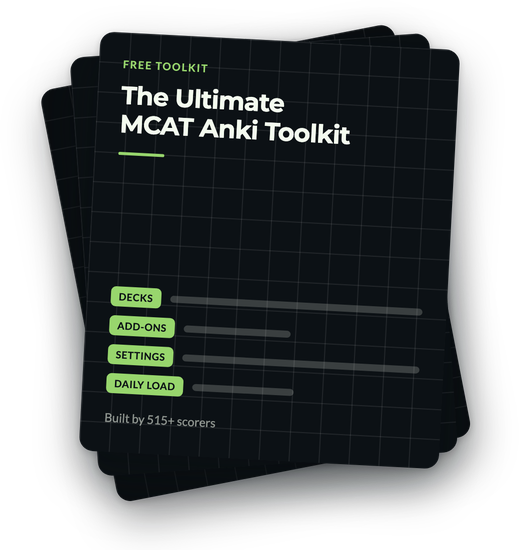
The app is Anki. The decks that carried students to 515+ are already built, and they are free.
The Ultimate MCAT Anki Toolkit: the decks worth running, the add-ons that help, and the settings that stop pile-ups.
On its way.
Check your inbox in the next minute.
Best MCAT Mobile Apps at a Glance
Here are all nine apps side by side, as their store listings read on November 5, 2026. Prices and plans change, so check the listing before you buy anything.
Many MCAT apps cost nothing to install and then sell a plan inside the app. Anki on Android, Magoosh’s flashcards and Brainscape’s basic version are free to use, too!
The 9 Best MCAT Mobile Apps
We picked these apps because each one is built for the MCAT (or carries MCAT decks), has been updated recently, and does one job well on a small screen. They’re in no particular order, so start with the job you need done!
1. Anki (AnkiMobile and AnkiDroid)
Anki is a flashcard app that schedules each card for review right before you’d forget it. That method is called spaced repetition, and it’s the reason so many students use Anki for MCAT terms, equations and amino acids.
AnkiDroid is free on Android, and AnkiMobile costs $24.99 once on iPhone and iPad, with no subscription. The desktop version is free, and your cards sync between all three.
Our best MCAT Anki decks guide lists ready-made decks, and how to use Anki for the MCAT shows the settings to start with.
Get it: AnkiMobile on the App Store, AnkiDroid on Google Play and Anki for your computer.
Get The Ultimate MCAT Anki Toolkit
On its way.
Check your inbox in the next minute.
2. UWorld MCAT Prep
UWorld’s app carries its MCAT question bank, review books, video lessons and flashcards, synced with your account on the computer. The App Store listing says the question bank holds over 3,000 practice questions, each with a step-by-step explanation. That’s plenty to work with!
Although the download is free, the content comes with the MCAT plan you buy on UWorld’s site, which offers a 7-day free trial. Our UWorld MCAT review covers the full program. Great for practice questions on the go!
Get it: App Store and Google Play.
3. MCAT Prep from Health Admissions IQ (formerly MedSchoolCoach)
This app from MedSchoolCoach now goes by Health Admissions IQ on the App Store. Its listing describes over 300 short video lessons, plus more than 1,300 flashcards and 1,300 practice questions across every science subject and CARS strategy.
It’s free to download, with weekly, monthly and yearly plans in the app. The Android version is still listed as MCAT Prep by MedSchoolCoach and was last updated in August 2023, so iPhone users get the newest version.
Streaks and quick 10-card reviews make it easy to study a little every day!
Get it: App Store and Google Play.
4. Magoosh MCAT Flashcards
Magoosh’s flashcard app is free, with more than 300 cards in six decks covering general chemistry, organic chemistry, biochemistry, biology, physics, and psychology and sociology. Cards you miss come back more often, and you can study without Wi-Fi. Handy on a flight!
On Android, the app was updated in November 2026. The iPhone version is still in the App Store, with its last update in 2017.
Also on Android, Magoosh’s separate MCAT Prep app adds video lessons, with plans sold in the app. Our Magoosh MCAT review covers the full course :)
Get it: App Store and Google Play.
5. King of the Curve
King of the Curve’s listing describes over 5,000 MCAT-style practice questions across every section, with explanations, and an AI tutor that walks you through a question you photograph or type in. It also covers the NCLEX and USMLE.
Like most apps here, it’s free to download, with monthly and longer plans in the app. Its friendly, game-like setup makes a quick question set feel easy to start!
Get it: App Store and Google Play.
6. Blueprint MCAT Prep
Blueprint released this app in 2025 as a mobile version of its MCAT question bank. It syncs with your Blueprint account, suggests question sets by section and topic, and lets you download sets to practice offline. Nice for a lab with no signal :)
To use it, you’ll need a Blueprint MCAT account, and the download itself is free. We found it on the App Store for iPhone and iPad only, with no Android version on Google Play.
Get it: App Store.
7. Kaplan MCAT
Kaplan’s app is a companion to its MCAT courses, tutoring packages and question bank products, and it syncs with your Kaplan account on the computer. Its listing describes over 3,000 Qbank questions with explanations, the course video library and 1,000 science flashcards.
The download is free on both stores. Without a Kaplan product, you get a limited free trial with a 230-question Qbank and a sample of videos. That’s a handy way to try it out!
Our reviews of Kaplan’s MCAT course, its MCAT books and its private tutoring cover the rest, and MedLife Mastery tutoring vs Kaplan compares the two side by side.
Get it: App Store and Google Play.
8. Brainscape
Brainscape is a general flashcard app with a library of MCAT flashcards. You rate how well you knew each card from 1 to 5, and the app brings the low-rated ones back sooner.
For your own text cards, making and studying them is free. A Pro plan, sold monthly, yearly or for life, opens the full library. It’s a nice fit if you’d like Anki’s idea in a simpler app!
For more on cards, see our MCAT flashcards guide.
Get it: App Store and Google Play.
9. Lecturio MCAT
Lecturio is a medical education company, and its MCAT app on Android pairs video lectures with recall quizzes and a question bank for every MCAT section. On iPhone, the MCAT material sits in the main Lecturio Medical app.
Both are free to download, with plans sold in the app. Lecturio’s free lectures on YouTube are a good way to try the teaching style first!
Get it: Lecturio Medical on the App Store and Lecturio MCAT on Google Play.
Free MCAT Apps You Can Use Today
Yes, you can build a solid phone routine with the best MCAT mobile apps without spending anything! These are free to use, with no plan required:
- AnkiDroid on Android, with free shared MCAT decks.
- Magoosh MCAT Flashcards on iPhone and Android.
- Brainscape, for flashcards you make yourself.
- Free trials from UWorld and the apps with in-app plans, so you can test one before you buy.
Khan Academy’s MCAT Lessons, in Your Phone’s Browser
Khan Academy made a free set of MCAT videos and practice passages for all four sections. Its app’s store listing says test prep isn’t in the app, so open khanacademy.org in your phone’s browser to use them!
Our Khan Academy MCAT review walks through what’s there. Our own free MCAT resources work in a phone browser too, including a practice test and study notes for every section.
Our Free MCAT Chrome Extension
MCAT Buddy is a free Chrome extension we built, so it runs in Chrome on your computer. Each new tab shows an MCAT Question of the Day, your goal score, a countdown to test day, a daily quote and quick links to MCAT resources.
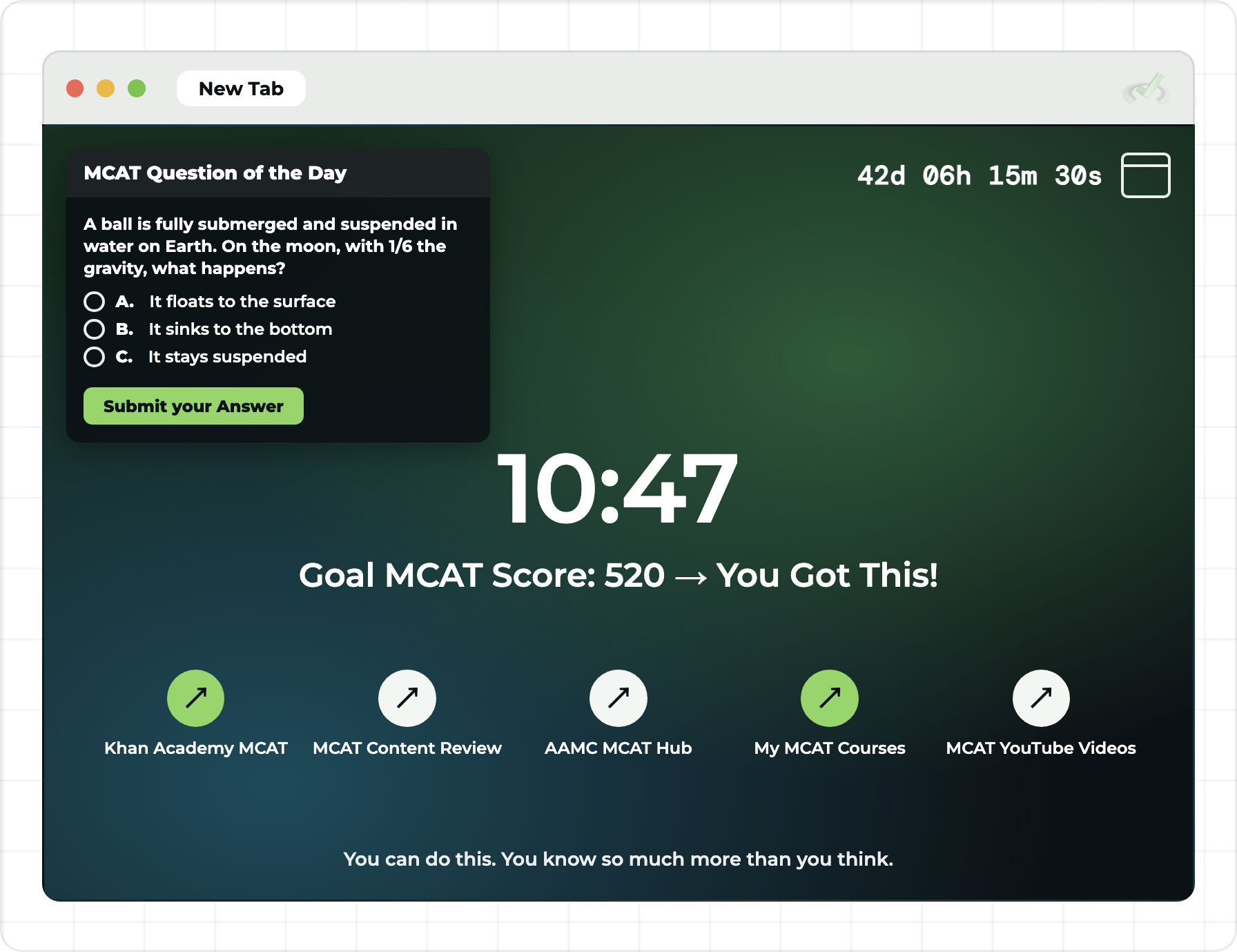
Clear your Anki reviews on your phone, then answer the Question of the Day on your laptop. Two small habits, every day!
How to Use MCAT Apps to Study
The best MCAT mobile apps shine in short sessions. A phone handles flashcards and a few questions well, and the long, timed work belongs at a desk. Easy to fit in!
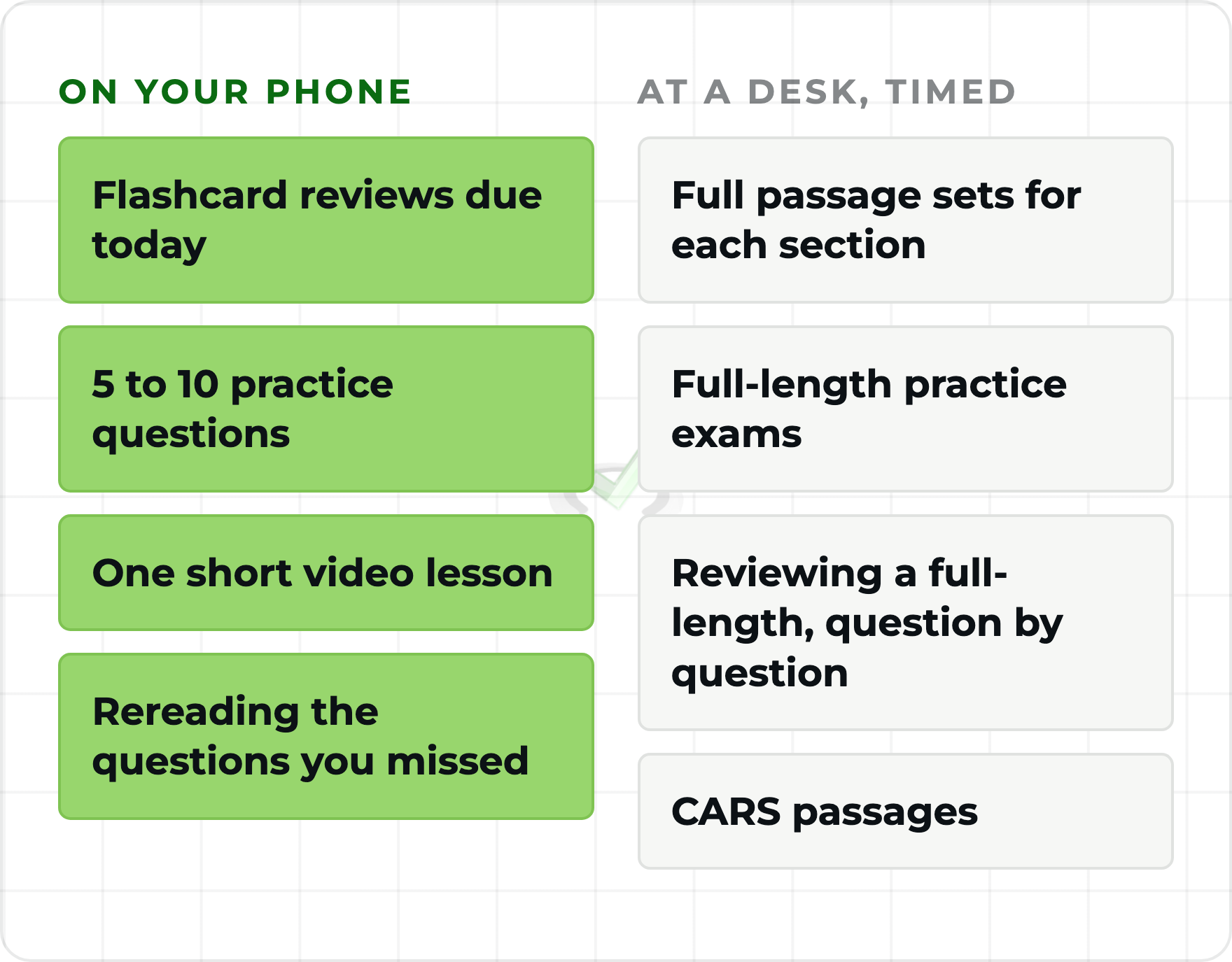
- Use them every day. Spaced repetition depends on clearing the cards due each day, and a few minutes on the bus keeps the pile small.
- Pair them with your main prep. An app covers pieces of the exam. Your content review, books and practice exams carry the rest.
- Study when you can focus. A busy station or the end of a long shift can make cards slide past you. Pick the calmer moments in your day.
- Write down what you miss. Most apps don’t let you highlight, so keep a notebook or a notes file and reread it at your desk.
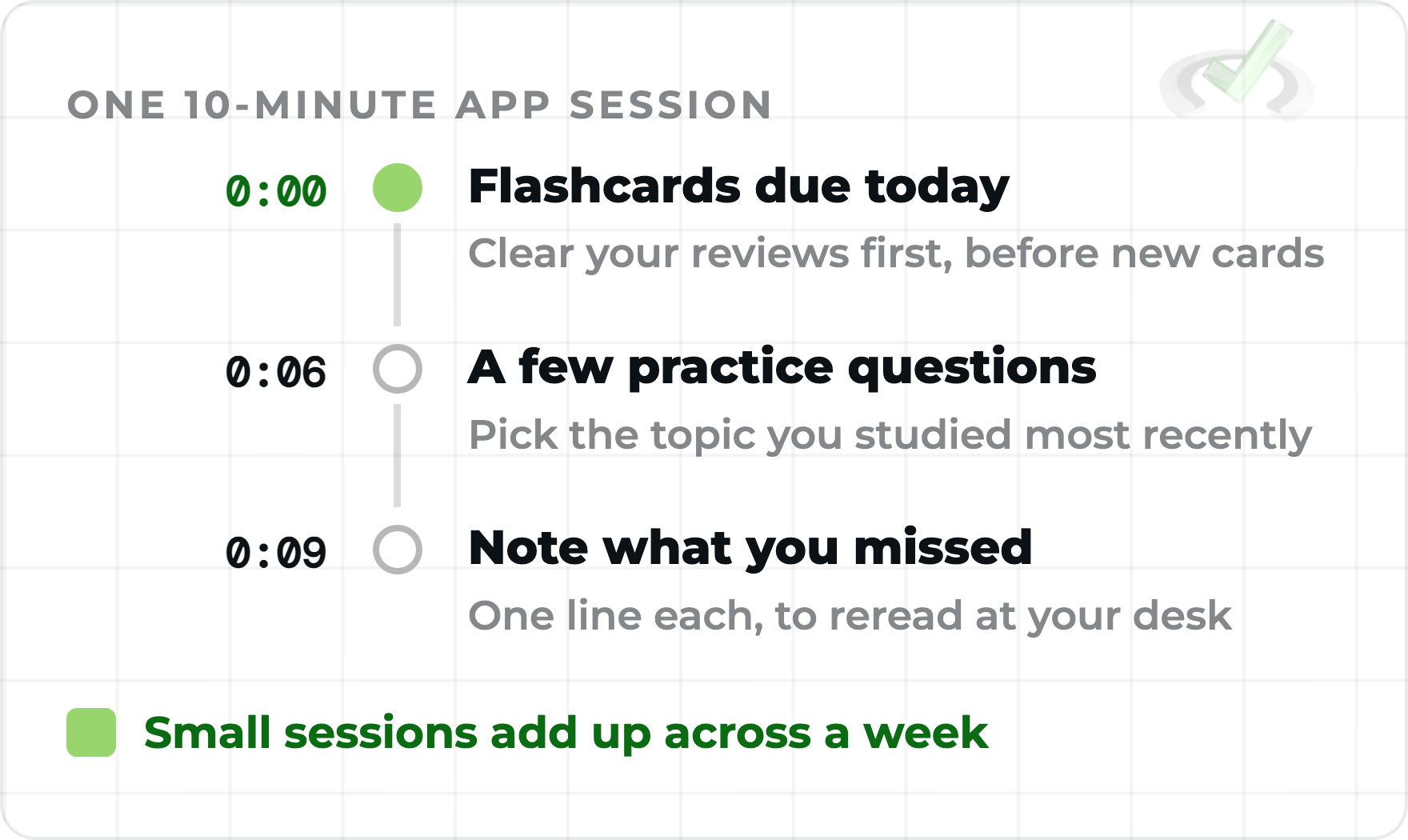
Build these sessions into your MCAT study schedule wherever they fit your day. You’ve got this!
One flashcard app and one question bank cover most students. Three apps doing the same thing split your reviews and your attention.
Pros and Cons of MCAT Mobile Apps
The best MCAT mobile apps are a great tool, with a few limits to plan around. Here they are side by side :)
Where Apps Stop Being Enough for the MCAT
Even the best MCAT mobile apps are built for memory work and quick questions. The MCAT also asks you to read passages you’ve never seen and reason through them under time pressure, and that skill comes from timed practice and careful review.
We’d pair your apps with MCAT prep books, an online prep course or 1:1 tutoring with a 515+ scorer, and with official AAMC practice once your content review is done.
If you’d like a plan and people to practice with, our 6-Week Live MCAT Accelerator runs 12 live strategy classes taught by a 520+ scorer, with live passages in every section.
It also includes private 1:1 tutoring and weekly office hours with 515+ scorers. We’d love to see you there!
Best MCAT Mobile Apps: Quick Answers
What is the best MCAT app?
It depends on the job. Anki is the favorite for flashcards, and UWorld and Blueprint carry full question banks if you use those programs. For free science cards, try Magoosh. Pick one per job and you’re set!
Are there free MCAT prep apps?
Yes! AnkiDroid, Magoosh MCAT Flashcards and Brainscape’s basic version are free to use. Khan Academy’s MCAT lessons are free in your phone’s browser too.
What’s the best app for MCAT spaced repetition?
Anki is built around spaced repetition, and shared MCAT decks for it are free. See our best MCAT Anki decks to pick one. Brainscape and Magoosh’s flashcards repeat missed cards too.
Can you study for the MCAT with only apps?
Apps can carry your flashcards and quick question sets, and you’ll still need timed passages and full-length exams on a computer. The MCAT tests how you use the content, so practice has to be part of the plan. You can do it!
Does Khan Academy have an MCAT app?
The Khan Academy app’s store listing says test prep isn’t in the app. Its free MCAT videos and passages are on khanacademy.org, which works in your phone’s browser.
Final Thoughts on the Best MCAT Mobile Apps
The best MCAT mobile apps turn spare minutes into reviews and practice questions, and several cost nothing. Pick one flashcard app and one question bank, use them every day, and save the long, timed work for your desk. We’re cheering you on!
When you’re ready for a plan built around passages, our 6-Week Live MCAT Accelerator brings live strategy classes and 1:1 sessions with top scorers together.
If the cohort dates don’t line up with your test, a few 1:1 tutoring sessions on their own can work on whatever your apps haven’t fixed.
For more free help, check out our best online MCAT resources, the best MCAT YouTube channels and the best MCAT podcasts. You’ve got this :)

 To help you achieve your goal MCAT score, we take turns hosting these